
Phone use for AI agents, on the phone you already own
Let your AI agent use the Android phone you already have, logged into everything, with a countdown, a banner and a Pause button so you always know when it's driving.

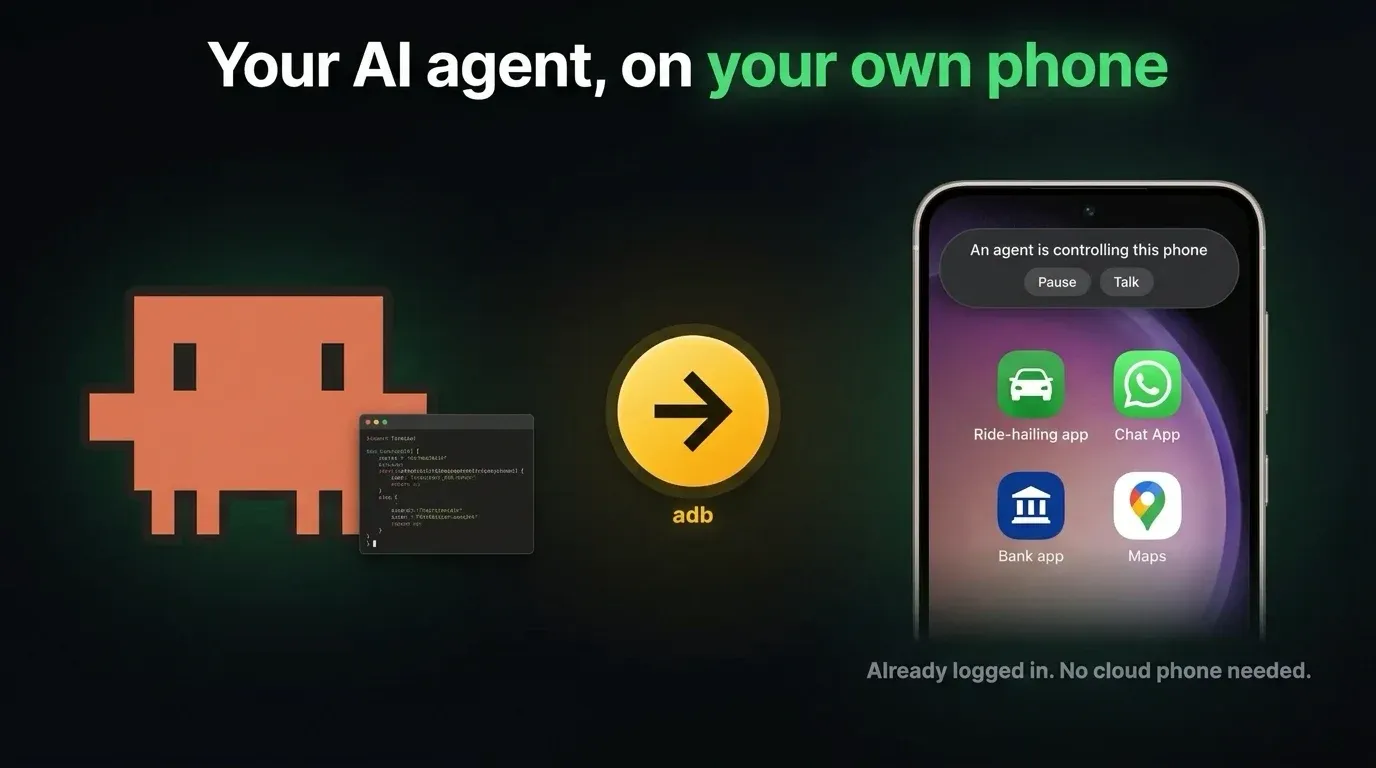
Most apps don’t have an API. Grab, Uber, your bank, WhatsApp, the app your landlord makes you use for rent. If an AI agent can’t use them, it can’t do half the things you’d actually want it to do.
This week a startup launched cloud phones for AI agents to fix exactly that. I’ve had the same thing running for a couple of months on the phone in my pocket, for free, and mine is already logged into everything.
Here’s how to let your AI agent use your actual Android phone, and still know what it’s doing:
🤖 Want an agent to just build this for you? Copy the prompt and paste it into your AI agent.
Prompt for your coding agentclick to open
I want my AI agent to use my own Android phone: open apps, read the screen, tap and type, the way I would. My phone is already logged into everything, so no cloud phone.

Use adb (over USB or Wi-Fi) as the hands and uiautomator dump to give the agent a list of on-screen elements with tap coordinates. Before the agent takes the phone, show a 15 second countdown on the phone that I can cancel, then a banner while it drives, with a Pause button that the tools enforce and a Talk box that messages the agent. Wrap adb so no driving command can skip the lock.

Full instructions are here:

https://strangenewworld.net/ai-agent-on-your-own-phone/

Read that page first, then build it.
⚙️ Requirements
- 📱 An Android phone
Any recent one. Turn on Developer options and USB debugging. - 💻 adb on your computer
Part of Google's free Android platform tools. - 🤖 An AI agent that can run commands
Claude Code, Codex, or anything with a shell. - 🌐 Optional: Tailscale
Reach the phone over Wi-Fi from any machine, no cable.
Why your own phone beats a cloud phone
- It’s already logged in. Every app, every session, every saved card. A cloud phone means typing your passwords into somebody else’s hardware and redoing every two-factor prompt on it.
- It doesn’t look like a bot. Apps like Uber and Instagram look hard at phone-farm devices. Your phone is just your phone, with years of normal history on it.
- It’s free. Everything below is adb, which ships with Android’s free platform tools, plus a few small scripts.
The catch: it’s one phone, and you’re using it too. The rest of this post is about that.
The hands: adb and the accessibility tree
Agents are great at reading text and bad at guessing pixel coordinates off a screenshot. So don’t make them guess. Android can dump every element on screen as a tree, the same one screen readers use, with the exact bounds of every button:
adb shell uiautomator dump \
  /sdcard/ui.xml
adb pull /sdcard/ui.xml
I wrapped that in a small CLI called devices that turns the dump into a short JSON list of things worth tapping, each with its center already worked out. This is what the agent sees on Android’s Settings screen, trimmed to four rows:
[
  {"label": "Search settings",
   "center": [376, 594]},
  {"label": "Network & internet",
   "center": [407, 794]},
  {"label": "Connected devices",
   "center": [412, 1025]},
  {"label": "Apps",
   "center": [250, 1256]}
]
The agent reads the label, takes the center, and taps it:
devices tap 376 594
devices type "wifi"
devices press enter
The rest of the verbs are what you’d expect: launch, open-url, swipe, screenshot. Some apps draw their own UI and expose an empty tree (anything built in Flutter, mostly), and some never sit still long enough to dump one, like Grab with its animated map. For those, devices visual takes a screenshot with a coordinate grid printed on it, so the agent reads the numbers off the image instead of estimating.
Ask first, then show who’s driving
An agent taking over the phone in your hand is a bad surprise. So before it touches anything, the phone asks.
A card slides up with a 15 second countdown and one button: I’m busy, don’t control. Tap it and the agent backs off. Let it run out and the card turns into a banner that stays up the whole time the agent is driving. It says which agent has the phone and what it’s doing right now, with two buttons:
- Pause stops the agent. It raises a flag next to the lock, and every driving command checks that flag first and refuses. The agent can’t ignore it, because the refusal comes from the tool, not from the agent’s good manners. It can’t press the button for you either: any agent tap that would land on the banner gets refused.
- Talk sends the agent a message, so you can say “use the other card” without walking back to your computer.
The banner is a tiny Android app I wrote. It draws over other apps, and the CLI raises it when an agent takes the phone and takes it down when the agent lets go.
Make it impossible to skip
All of that only works if the agent goes through the CLI. Agents love shortcuts, and one raw adb shell input tap walks straight around the lock, the countdown and the banner. I watched it happen twice.
So adb itself is wrapped. A small script sits earlier on my PATH than the real binary and checks every adb call. Anything that drives my phone (a tap, a swipe, typing, launching an app) only runs if the caller holds the phone’s lock. If it doesn’t, the script takes the lock for it, which raises the countdown and the banner like normal, or refuses outright. Reading the screen stays free.
$ adb shell input tap 540 1622
# -> takes the lock, shows the
#    countdown, then taps
Several agents, one phone
I run 10 to 20 agents at once, and more than one of them wants the phone at the same time. Two agents tapping one screen is chaos: one opens Grab while the other is halfway through typing a message.
So each phone has one lock, and it’s stored on the phone itself:
- One driver at a time. An agent takes the lock with a note saying what it’s doing, and the banner shows that note. Every driving command checks the lock first.
- Everyone else waits in line. An agent that asks while the phone is busy joins a queue and gets the phone when the one ahead of it lets go.
- A crashed agent can’t hold it forever. The lock expires unless its owner keeps renewing it, so a dead agent frees the phone on its own.
I wrote that part up in more detail here: Managing 20+ agents controlling a single device.
Where it runs
The phone is on my Tailscale network with adb over Wi-Fi turned on, so it doesn’t need a cable. Agents on my laptop and on a server across the world reach it at the same address. The lock lives on the phone, so they all see the same one.
What else I’ve hooked up this way
The same lock and banner cover my Mac’s screen, my Android tablet and my Quest 3 headset, and my agents use my Even Realities glasses as a display. If you want the next one when it’s out, subscribe below.