
AI playtests your games (VR ones too)

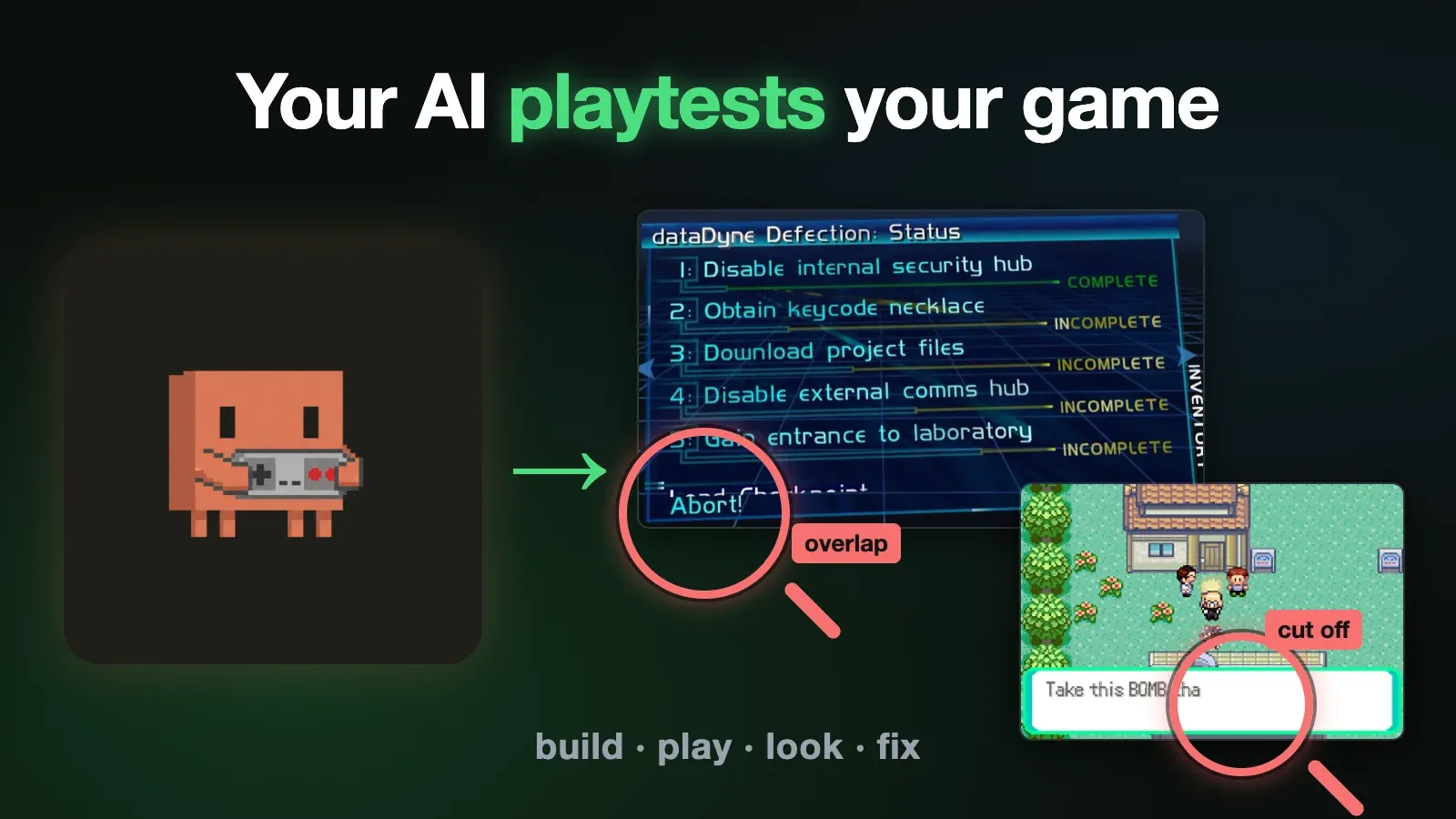
Your coding agent can change a game’s code, but it can’t see what the change does. So it ships the dialogue box that cuts off mid-word, the menu item drawn on top of another one, the fight you can’t win. Here’s how to let it build your game, play it with real inputs, look at the screen, and catch those bugs before you pick up a controller. That includes VR games, on a Quest sitting on your desk with nobody wearing it. Everything here was built with Claude Code running Opus 5.5, and the prompts are the ones I actually typed.
🤖 Want your agent to set this up for you? Copy the prompt and paste it into your AI agent.
Prompt for your coding agent▾
I want my coding agent to playtest my game or mod after every change (VR games on a Quest too): build it, drive it with scripted inputs, read what's on screen, and capture before and after screenshots and video of every screen it touches, then review them itself.

The non-obvious part: the game has to tell the agent what state it's in (a log line per menu or stage change), and scripted flows should wait on those log lines, not on timers.

Full instructions and two worked examples are here:

https://strangenewworld.net/have-your-ai-agent-playtest-your-game/

Ready-made skills (Quest headset control, a playtest recorder, before/after UI checks):

https://github.com/jrejaud/agent-playtest-skills

Read the page first, then set it up for my project.
⚙️ Requirements
- 🧩 A game or mod you can build from source
A decomp, a source port, an open-source engine. A closed binary you can only patch won't get you most of this - 🖥️ A way to run it with no screen attached
An emulator with scripting bindings (mGBA has Python ones), or a build that runs on Linux - 🐳 Docker, for the desktop-build route
- 🥽 For a Quest: Developer Mode,
adbandscrcpy - 🤖 A coding agent with shell access
Example: Claude Code, Codex
The bugs your agent can’t see
Both of these shipped from an agent that had a green build and passing tests.
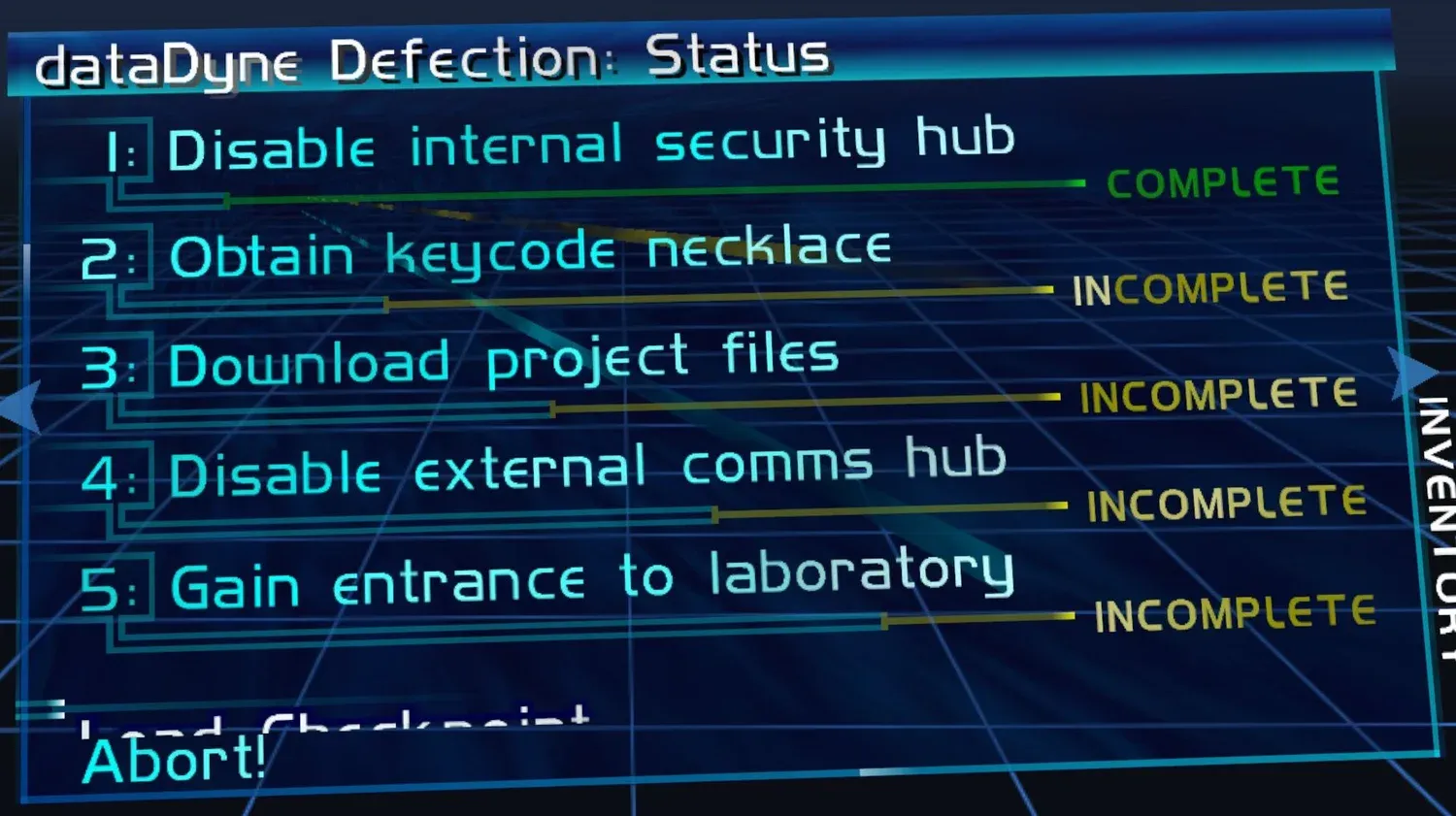
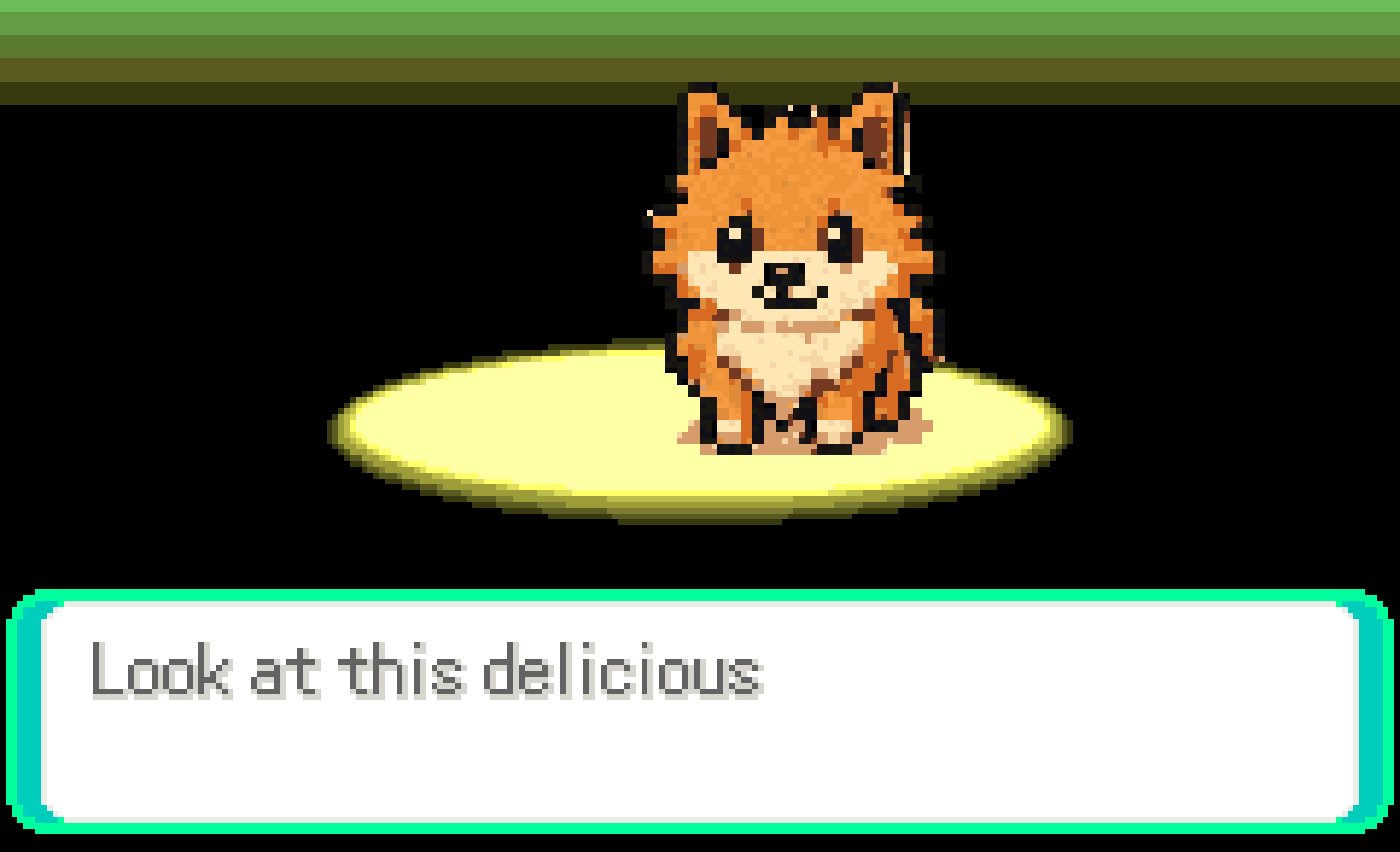
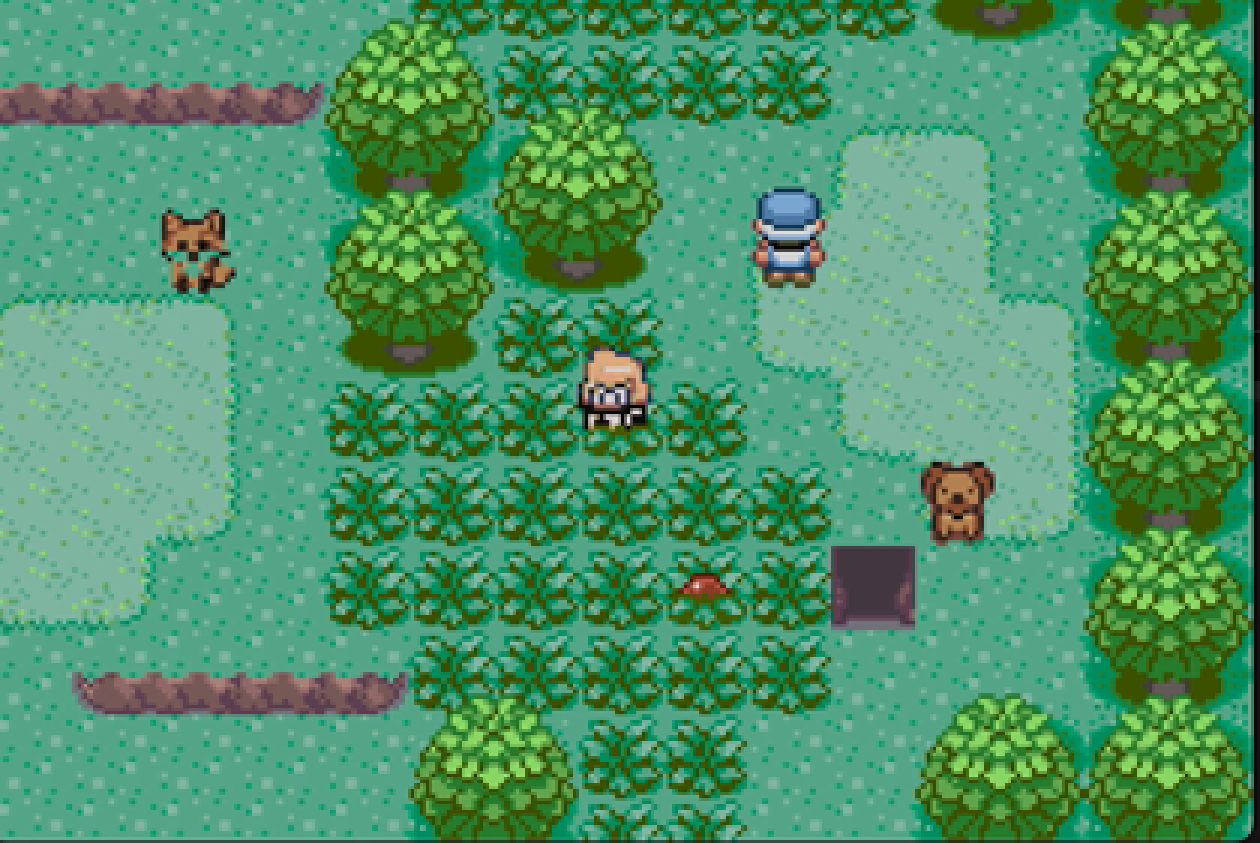
The first is from Perfect Dark VR, a Quest port of the N64 decompilation. I asked the agent to add checkpoints, and it did: they saved and loaded on the first try, and it opened a pull request against the PC port, 15 files and 833 lines. Then I put the headset on and saw the new Load Checkpoint item drawn on top of Abort. I moved the PR back to draft. The second is from Pomemon, a small Pokémon Emerald ROM hack I made as a gift. Every long line of dialogue just stopped.
Neither is hard to fix. The problem is that the agent had no way to notice them. So I dictated the rule I wanted, and this part of it is the whole post in one paragraph:
when you’re making changes that have UI changes, you, the agent, must record both screenshots and video of this. And then you must review the UI changes to make sure that they are good. [...] first, take a screenshot/slash record a video of the UI before you change it. And then do it afterwards and then compare it and see if there’s any graphical issues. And if so, fix them.
The rest is how to make that rule possible.
Make the game drivable from a script
The agent needs to press buttons and advance time without you. There are three ways, depending on what you’re building.
An emulator with scripting bindings. mGBA has Python bindings: run N frames, press keys, save and load states, read memory. That’s everything an agent needs for a GBA or GB game.
A desktop build under a virtual display. For a source port, run the Linux build in Docker under Xvfb (a fake X screen), render with Mesa’s software renderer, send real key presses with xdotool and record with ffmpeg. The game can’t tell a script from a person.
A VR build on a real headset. For a Quest, the agent drives the device itself over adb. That needs a few tricks of its own, covered below.
Then add test-only hooks to a copy of the source, so the agent can reach hard states in seconds. Perfect Dark’s are two environment variables: take a checkpoint at frame N, and kill the player at frame N. They live in an include file that only the test build pulls in. The real build never contains them.
Control a VR headset from the agent
A Quest is Android underneath, so adb works, but the two obvious tools lie. adb screencap returns a black frame, because the VR compositor draws around the normal Android display. adb input tap inside a VR game returns success and does nothing, because the game reads tracked controllers, not touch. Here’s what works, with the headset sitting on a desk and nobody wearing it. My whole instruction for this part, once I’d taken the headset off, was:
its off head, proced now
Seeing it. Meta’s own capture service (com.oculus.metacam) saves the real eye buffer. On a headset with more than one profile it lands in storage the adb shell can’t read, so the agent pulls it back through MediaStore. For video, scrcpy records the panel with no window open. Crop one eye and rotate it level and you get a normal 16:9 clip.
Keeping it running off your head. Horizon OS won’t open a VR app’s window for a headset nobody is wearing, and it sleeps 15 seconds after you take it off. Meta’s testing properties fix both: one adb shell content call tells the OS it’s being worn and turns off the sleep timer. It needs your Meta account PIN, and no tape over the sensor.
Launching the right thing. A VR app has two entry points. The normal launcher one opens a flat 2D window that Horizon OS ignores. The one you want carries com.oculus.intent.category.VR.
Getting past the lock screen. This one cost me an afternoon. If every way of launching fails with the same window-placement timeout, the headset is sitting on the profile picker. System panels like that one have a normal Android view tree, so the agent dumps it and taps your profile by name. Dialogs work the same way.
Pressing buttons inside the game. Nothing outside the game can fake a tracked controller. The radio is encrypted and the LEDs are synced to the cameras over it. So the test build reads a small file the agent writes over adb, in the app’s own folder. Each frame, the game merges that file into controller input: a=1 presses A, trigger=1 pulls the trigger, lsy=-1 pushes the left stick. lpose=1 holds the left hand in front of the face, so a menu attached to the wrist is in view of a headset lying on a desk. In Unity or Unreal it’s the same idea: a debug-only component that reads the file and feeds your input system.
Waiting. Pair it with the log lines from the next section, and the agent waits on adb logcat instead of guessing how long a load takes on the headset.
I packaged all of it except the game hook as a quest skill. In order: make the headset think it’s worn, get past the lock screen, launch the VR activity, take a screenshot, record video.
quest mount on
quest tap --text "<your profile>"
quest vr-launch com.example.game
quest screenshot shot.jpg
quest-vr-record start run.mkv
Make the game tell your agent what’s on screen
Screenshots are half of it. The other half is the game saying what state it’s in, in words. One log line every time a menu opens or a stage loads:
uitrace: stage 48
uitrace: menu 1 Mission Failed
uitrace: menu 0 (none)
That’s about 30 lines of C injected into the main loop. For an emulator, read RAM instead: the player’s position, the current music ID, which map you’re on. Now the agent can check “did the death prompt open?” without guessing from pixels.
Let the agent play in steps
For exploring, give the agent a one-shot command: load a state, press these keys, save the state, write a screenshot. Pomemon’s looks like this:
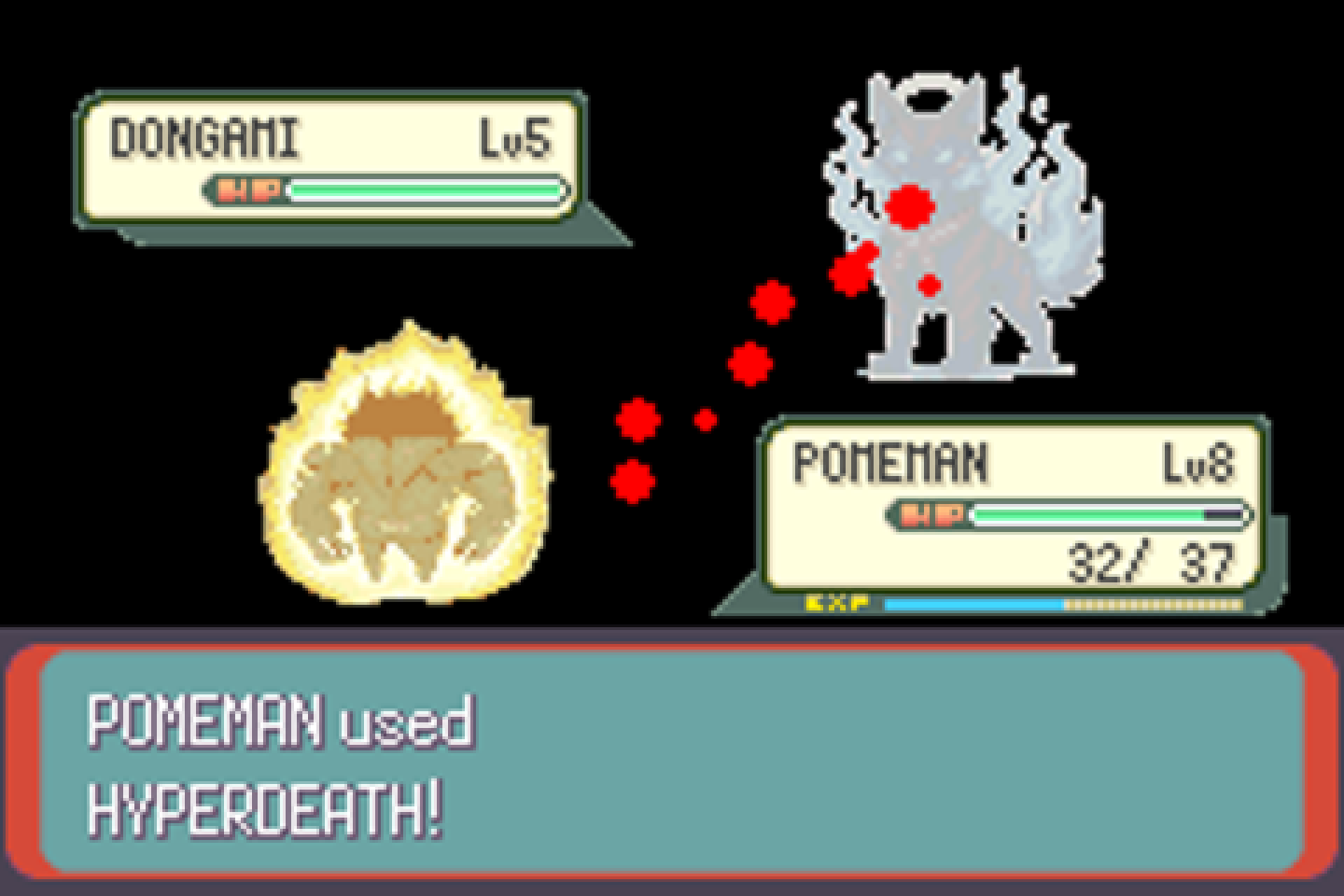
pom_step.py e2e Ax8 UPh32 wait60That loads the e2e state, presses A eight times, holds Up for 32 frames, waits a second, saves, and writes a PNG. The agent looks at the PNG and picks the next keys, the same way you would. It played through the whole game like this, one screenshot at a time.
Script the flows you’ll re-run, and wait on events
Once a path through the game matters, write it down as a step file so it replays the same way every time. Each line is a key press, a wait, a screenshot, or a wait for a log line:
Step file: die, then load the checkpoint (PC build)
env PD_CHECKPOINT_TEST=200,-1
env PD_TEST_KILL_FRAME=900
waitlog uitrace:.menu.*Perfect.Menu
wait 2
key Return
waitlog uitrace:.menu.*Mission.Select
wait 2
key Return
waitlog uitrace:.menu.*Select.Difficulty
wait 2
key Return
waitlog uitrace:.menu.*Overview
wait 2
key Return
waitlog uitrace:.stage.53
wait 4
key Return
wait 3
key Return
waitlog killed.the.player
waitlog uitrace:.menu.*Mission.Failed
wait 3
shot d1-prompt
key Return
waitlog savestate:.loaded 60
wait 3
shot d2-after-load
wait 5
shot d3-playing
Wait on events (waitlog), not on timers. A software renderer’s speed changes with whatever else the machine is doing, so a fixed three-second wait lands on a different screen each run. A log line is the same every time.
Look before and after every UI change
This is the step that catches the overlap. Before changing any screen, the agent runs the same flow on the base commit and saves screenshots and video. After the change, it runs it again on the branch. Then it compares them itself, fixes what’s wrong, and captures again.
On the Quest, the pause menu hangs off the left controller, so with the headset on a desk it points at the floor. The agent pins that hand in front of the face through the test file, then captures it with quest screenshot.
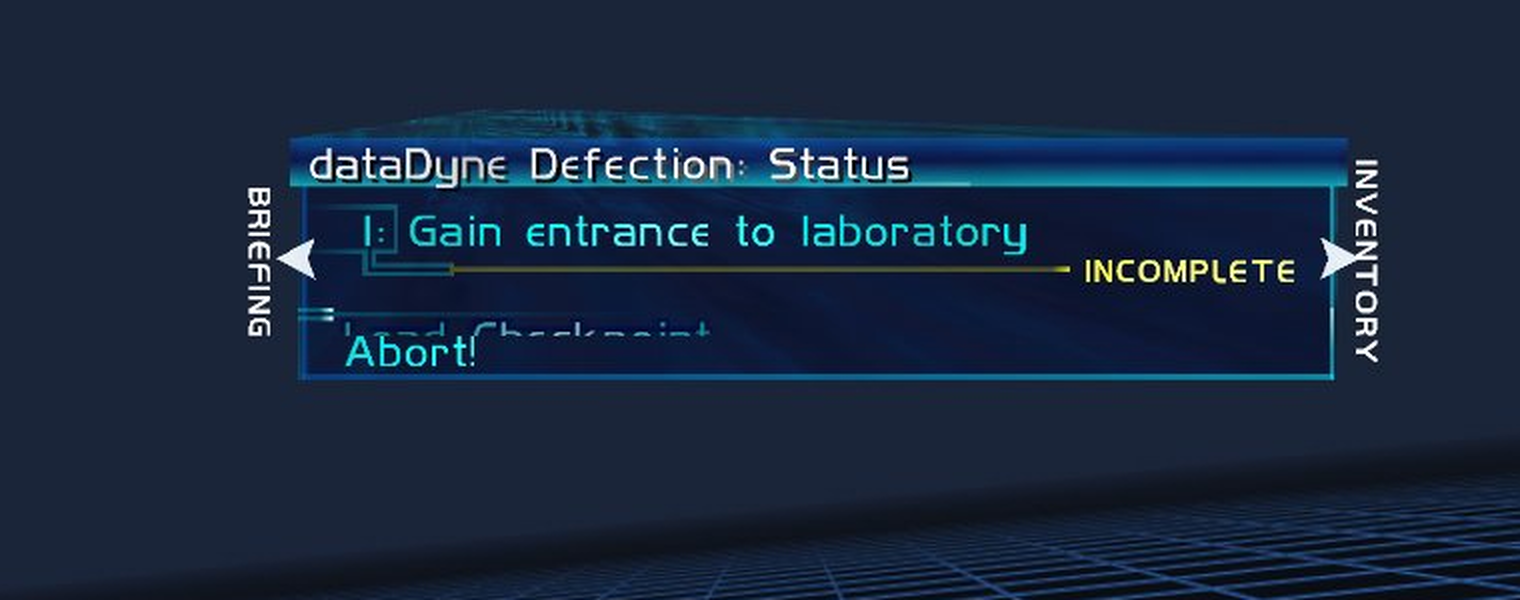
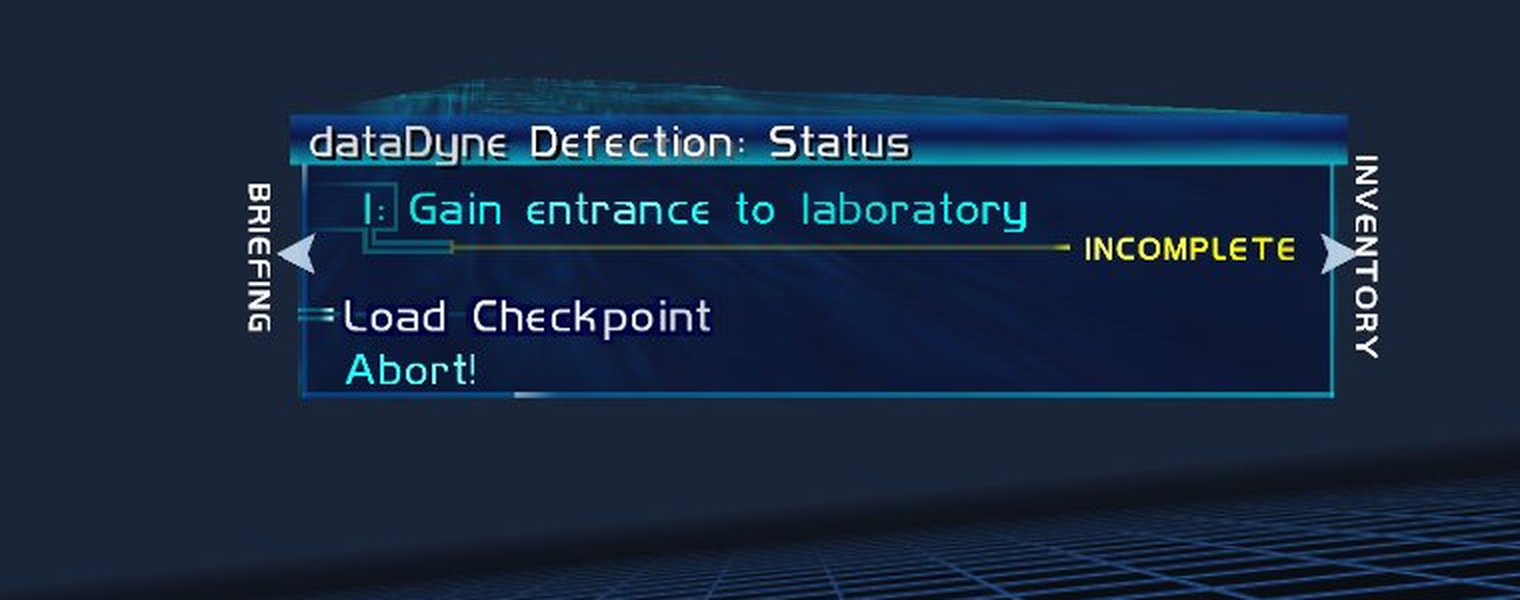
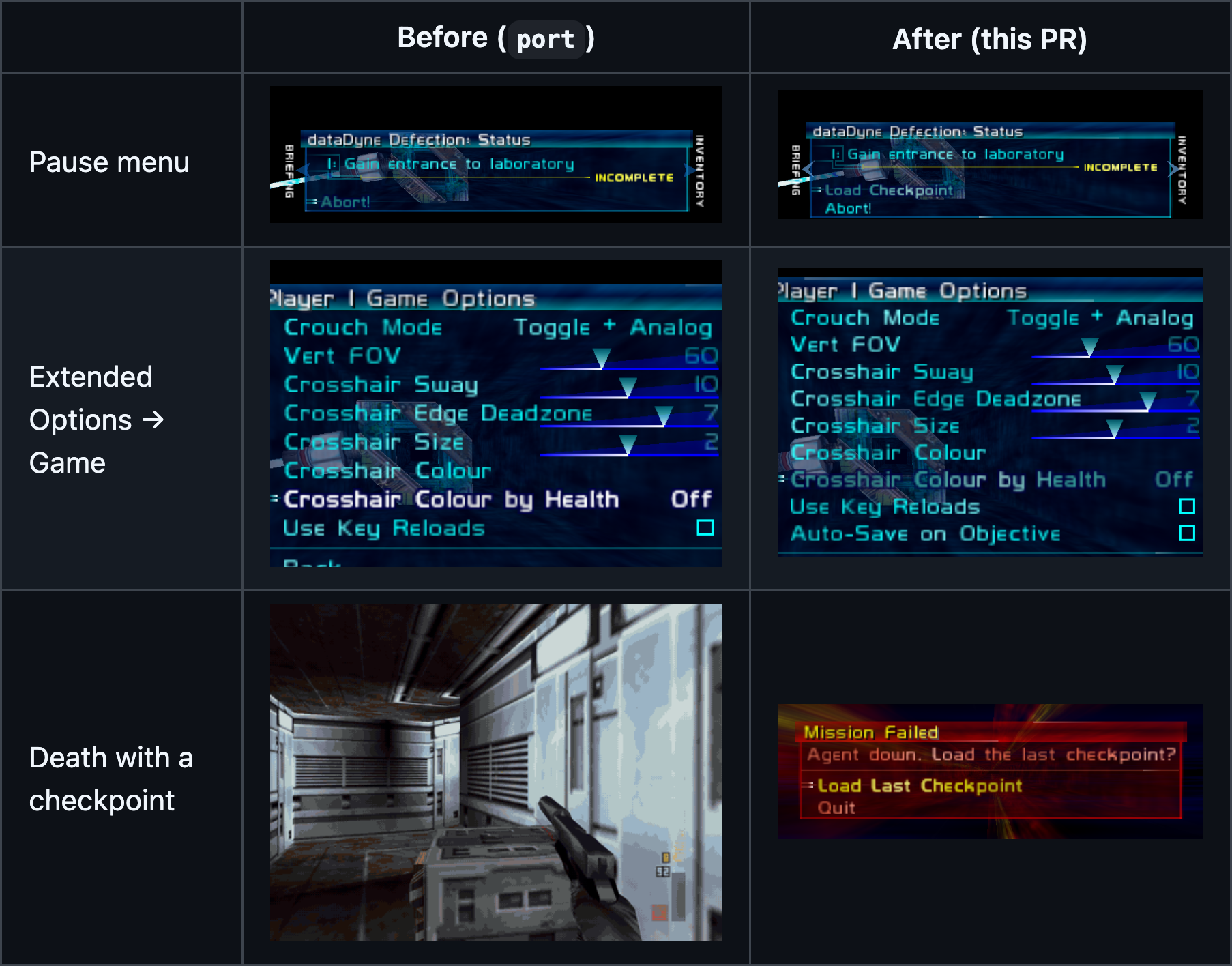
The fix was one character. Perfect Dark measures a menu row’s height by counting line breaks, and the new label was missing its \n. The agent then did the same before and after run for every screen the change touches and put the table in the pull request, which is now the first thing a reviewer sees:
Hand the human a review, not a description
Screenshots and video go in the pull request, so the reviewer sees the change instead of reading about it. Here’s the death prompt the same PR added, recorded in the headset by the agent with nobody wearing it:
The other half is a debug build that boots straight to the spot you need to check. You open it and you’re there, on the right screen, with the right save. All you should have to do is press A.
Turn your own playtests into bug lists with the playtest skill
You still play it yourself. The agent just does the paperwork. I use a Claude Code skill for this (here’s a cleaned-up copy), and saying “playtest” does two things: it launches the build at a checkpoint and starts recording the screen, my voice, every input and a RAM log, all on the same clock. I play and talk out loud about what’s wrong. When I say “done”, the agent transcribes what I said, pulls a frame from the video at each complaint, works out what was on screen and why, and writes the table. Then it fixes each item and checks each fix the same way it checks everything else.
My 11-minute Pomemon playtest became 24 items. Four of them:
Make it automatic
None of this helps if you have to ask for it every time. The last line of my dictated rule was the important one:
That should be added as a top level instruction in the relevant, I don’t know, front end skills or whatever.
So it lives in the skills my agent loads for front-end and game work: any change that touches UI gets before and after captures, compared by the agent, and attached to the commit or PR. It happens without me saying anything.
All three skills from this post (quest, playtest and ui-before-after) are in one repo: jrejaud/agent-playtest-skills. Copy them into ~/.claude/skills/, or point any other agent at the SKILL.md files.
Two real projects
Pomemon is a Pokémon Emerald ROM hack built on the pokeemerald decompilation, run headless in mGBA through its Python bindings. It’s private, so there’s no repo. Besides the cut-off dialogue, the agent caught a fight you couldn’t win (the only move had 0 power), a crash at the nurse with an empty party, a freeze in the slots and a soft-lock in an ice room.
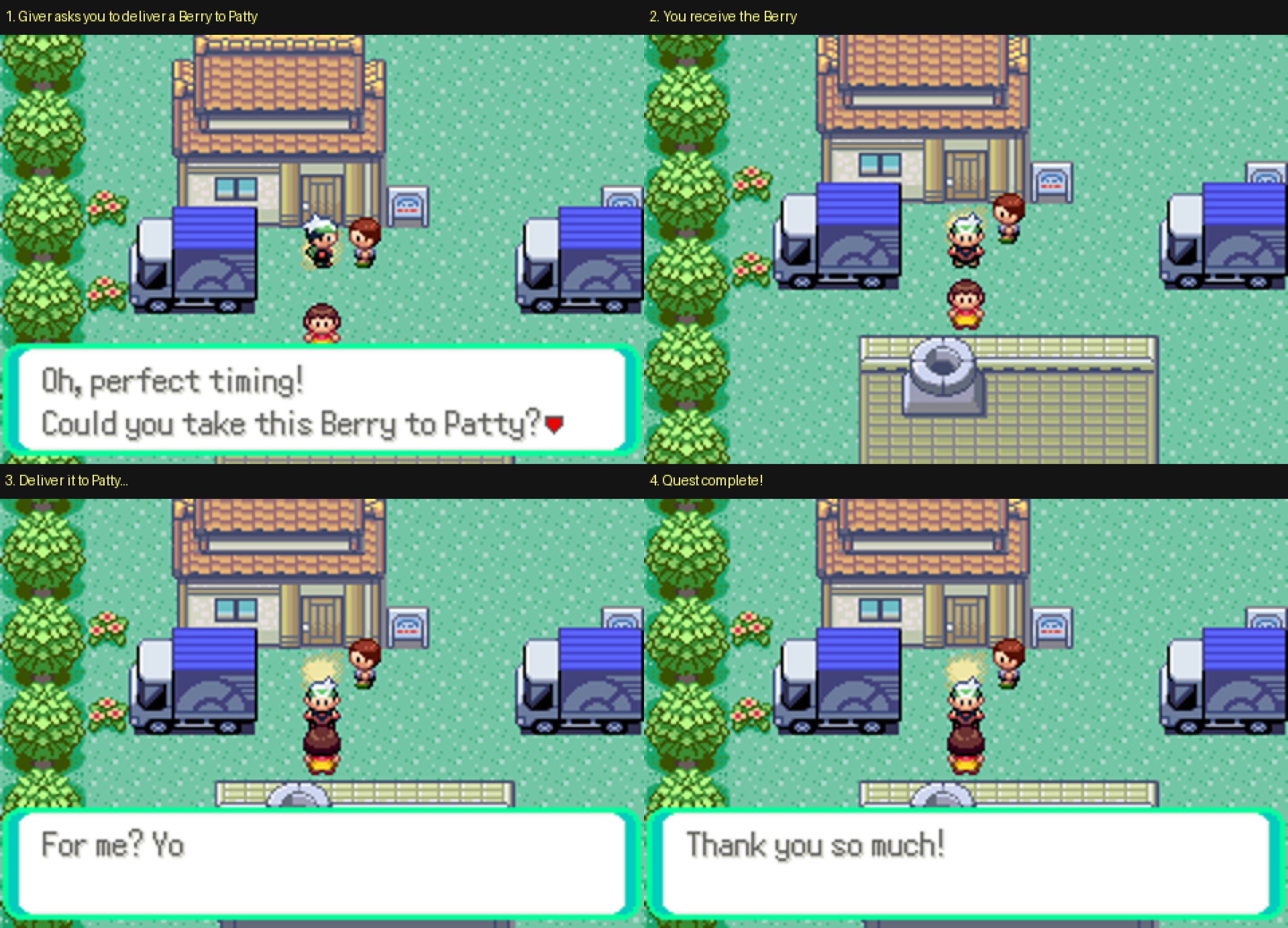
Perfect Dark is the N64 decompilation’s PC port and my Quest VR fork of Alex-LeTux’s VR port. I added optional checkpoints: auto-save when you complete an objective, Load Checkpoint in the pause menu, and a prompt when you die. The capture tools are public: the Docker and Xvfb runner for the PC build and the Quest scripts for the headset.
What I learned
- An agent can’t fix a bug it can’t see. Every bug in this post passed the build. The fix each time was a way for the agent to play the game and look.
- Before and after beats “does this look right?”. Asked about one screenshot, the agent says it’s fine. Next to the base commit, the overlap is obvious.
- Make the game say what state it’s in. One log line per menu turns “is the death screen up yet?” from a guess into a fact.
- VR is only hard at the controller. adb can see a Quest’s screen, keep it awake and get it past its system screens. Input inside the game needs a hook in your own build.