
Stop opening apps. Your AI agent is the interface now.
My AI agent is my YouTube client now: no dark patterns, and the dislike counts YouTube hides.

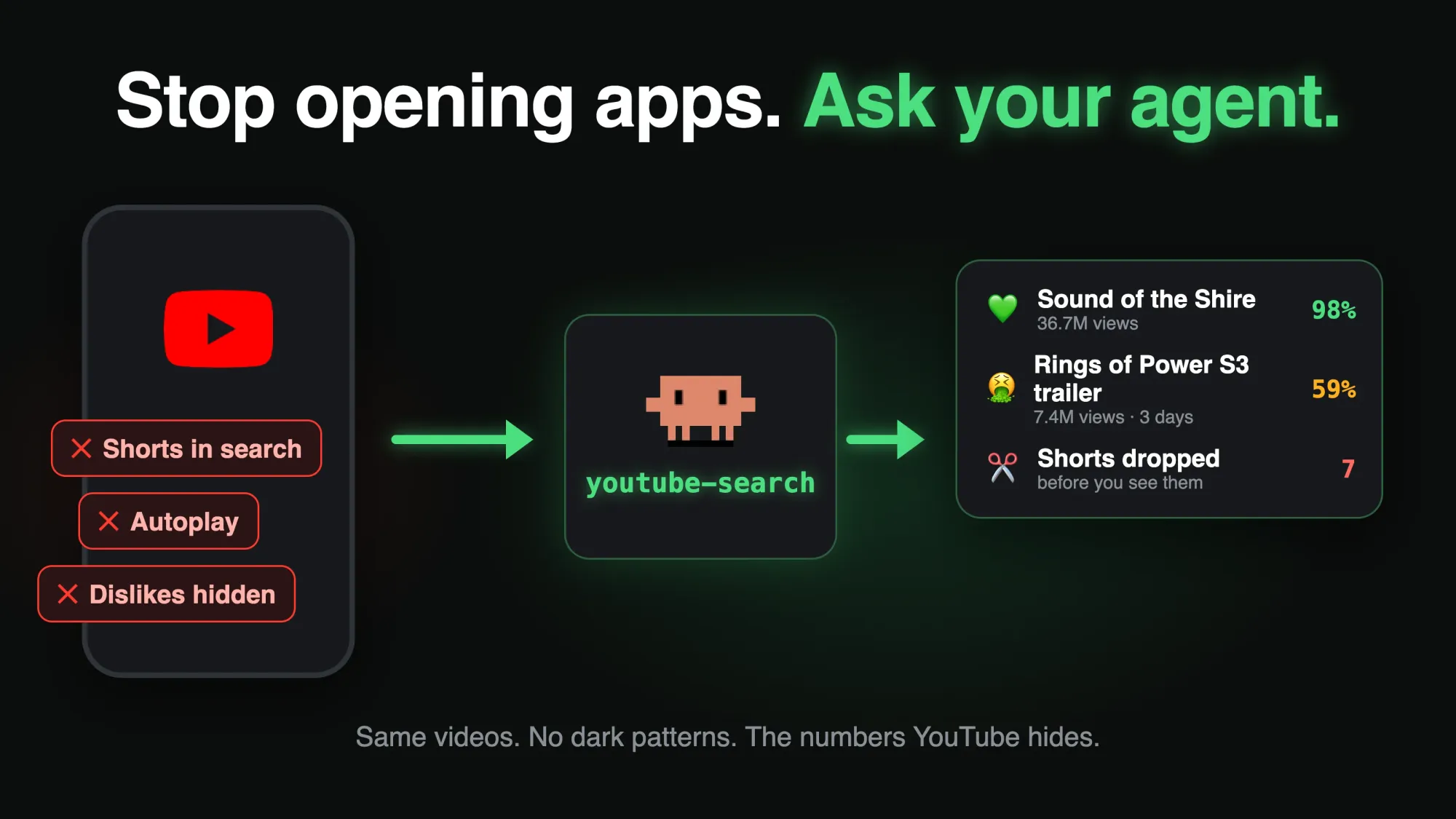
I don’t open the YouTube app or youtube.com anymore. I tell my AI agent “search youtube for lord of the rings” and it shows me the results in a pane next to the conversation, with the dislike counts YouTube hides, the clickbait titles rewritten, and the Shorts gone. Prime Video’s new Rings of Power trailer has 7.4 million views in three days, and only 59% of the people who rated it liked it. YouTube shows you the 7.4 million. Everything here runs on Claude Code with Opus 5.5.
🤖 Want your agent to set this up for you? Copy the prompt and paste it into your AI agent.
Prompt for your AI agent▾
I want my AI agent to be my YouTube client: when I ask it to search YouTube it should search three ways (relevance, newest, most viewed), merge and de-duplicate the results, add the like/dislike ratio from Return YouTube Dislike, swap clickbait titles and thumbnails for DeArrow's, flag content-farm channels, drop Shorts, show me a thumbnail grid, and play a video locally with yt-dlp and mpv when I pick one.

The full write-up is here:

https://strangenewworld.net/ai-agent-youtube-search/

The skill itself (scripts + SKILL.md), ready to install:

https://github.com/jrejaud/claude-youtube-skill

Read the page first, then install the skill and ask me for the API keys it needs.
⚙️ Requirements
- 🤖 An AI agent that loads skills from a folder
Example: Claude Code - 🔑 A YouTube Data API key
Free from the Google Cloud console, 10,000 units a day - 🎞️ A Gemini API key, only if you want it to watch videos for you
- 🖥️ macOS or Linux with
jq,curl,yt-dlpandmpv
Your agent is the interface now
A post went around this week about a teacher who couldn’t use yt-dlp to save lessons for class: “Terminal? Commands? No chance.” The fix it offered was an app with buttons.
Both of those are the old way of using a computer: you go to a tool and operate it. I spend my whole day talking to Claude Code anyway, so I stopped going to tools. I say what I want, the agent runs the tools, and it shows me the result. What I typed when I decided to write this up:
Imagine using the terminal to do anything in 2026 when you could just ramble at AI and have it do it for you.
YouTube is where this pays off most, because YouTube’s own screens are built to work against you.
YouTube is built to keep you watching, not to answer you
Here is a plain search for “lord of the rings” on youtube.com, logged out, the way a new visitor sees it:
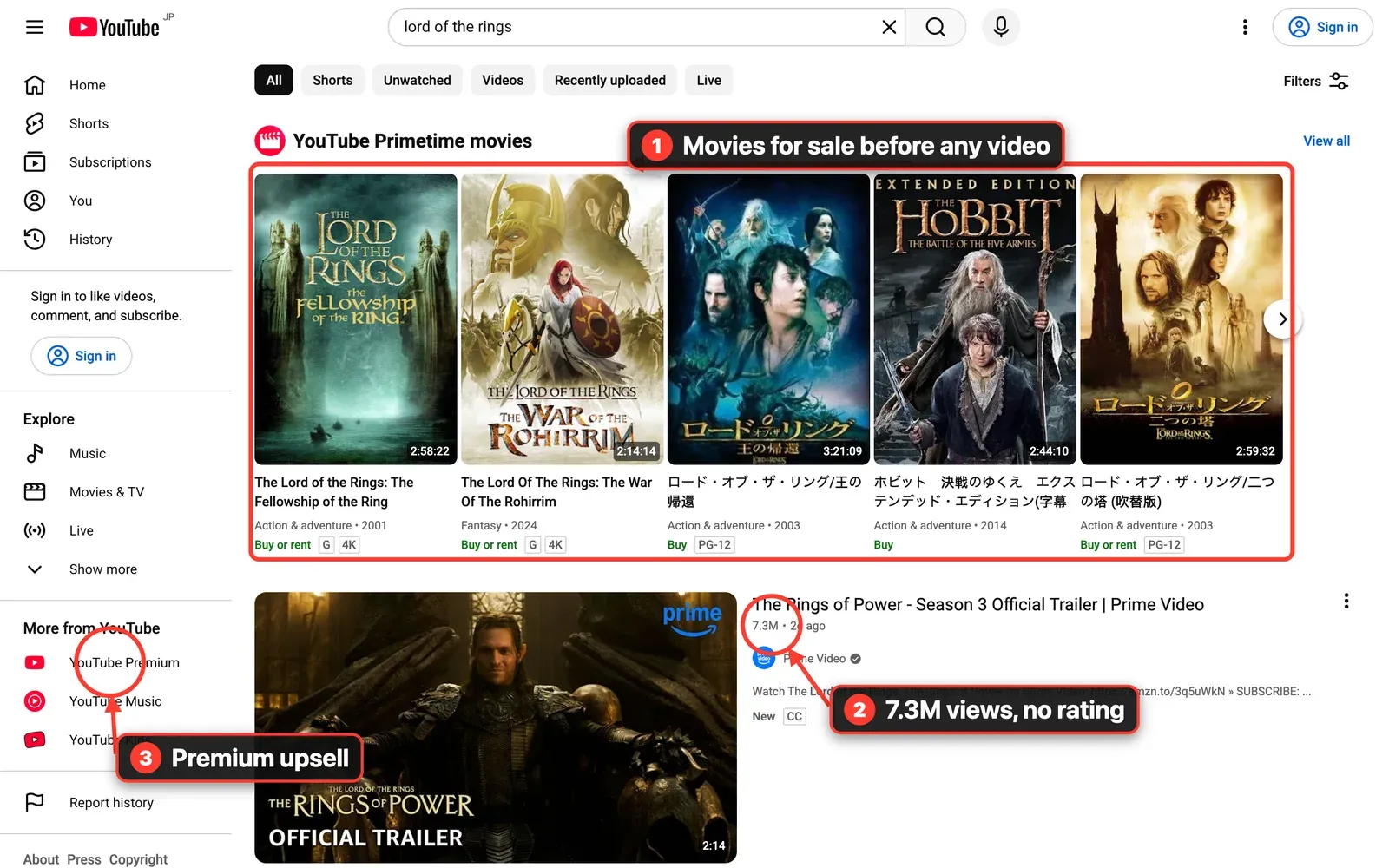
Before a single video you get a shelf of movies to buy or rent. Results show views and nothing about whether people liked the video. Scroll down and there are two shelves of Shorts.
Click the official Season 3 trailer:
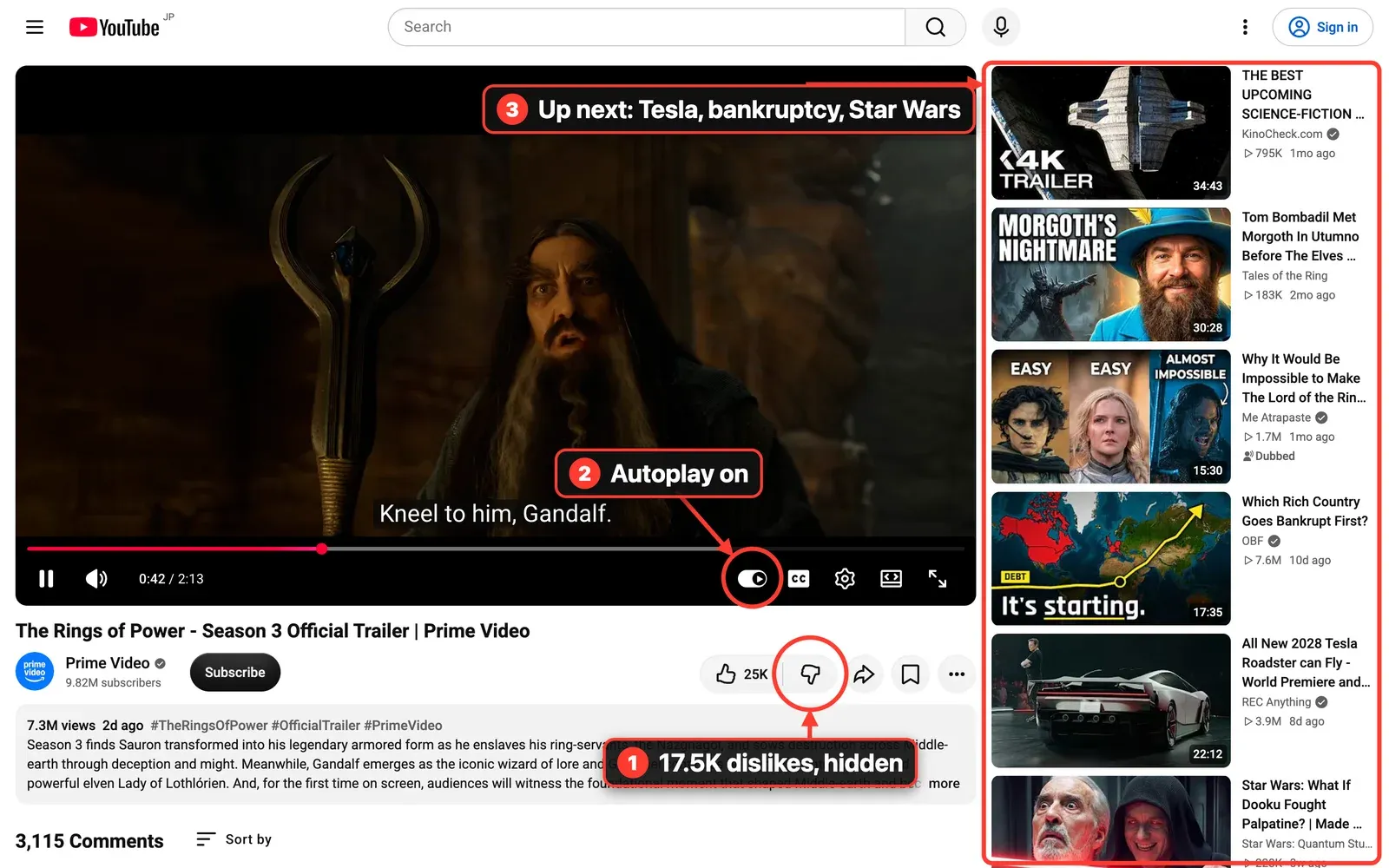
The like button says 25K. The dislike button has no number, because YouTube removed public dislike counts in 2021. This trailer has about 17,500 of them, per Return YouTube Dislike. Autoplay is on, and “up next” is a Tesla Roadster, a video about which country goes bankrupt first, and Star Wars.
The Android app does the same and more:
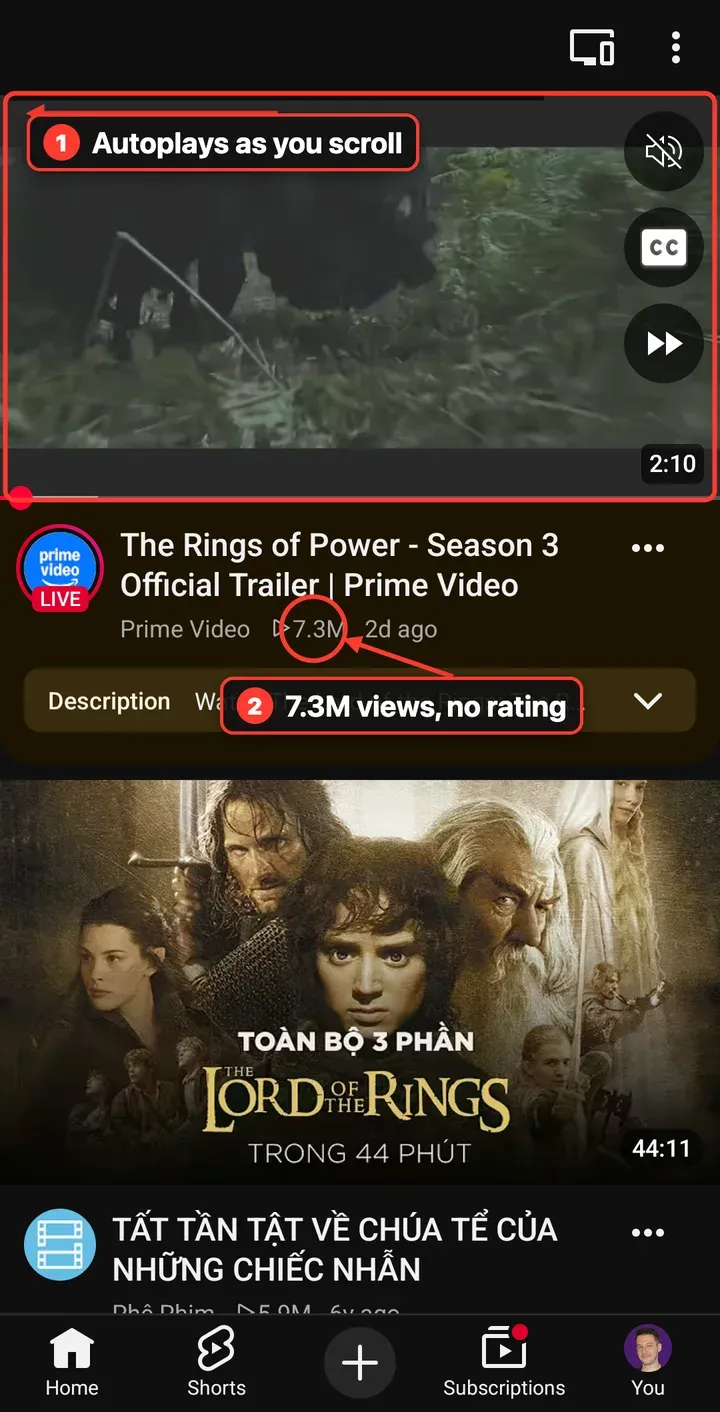
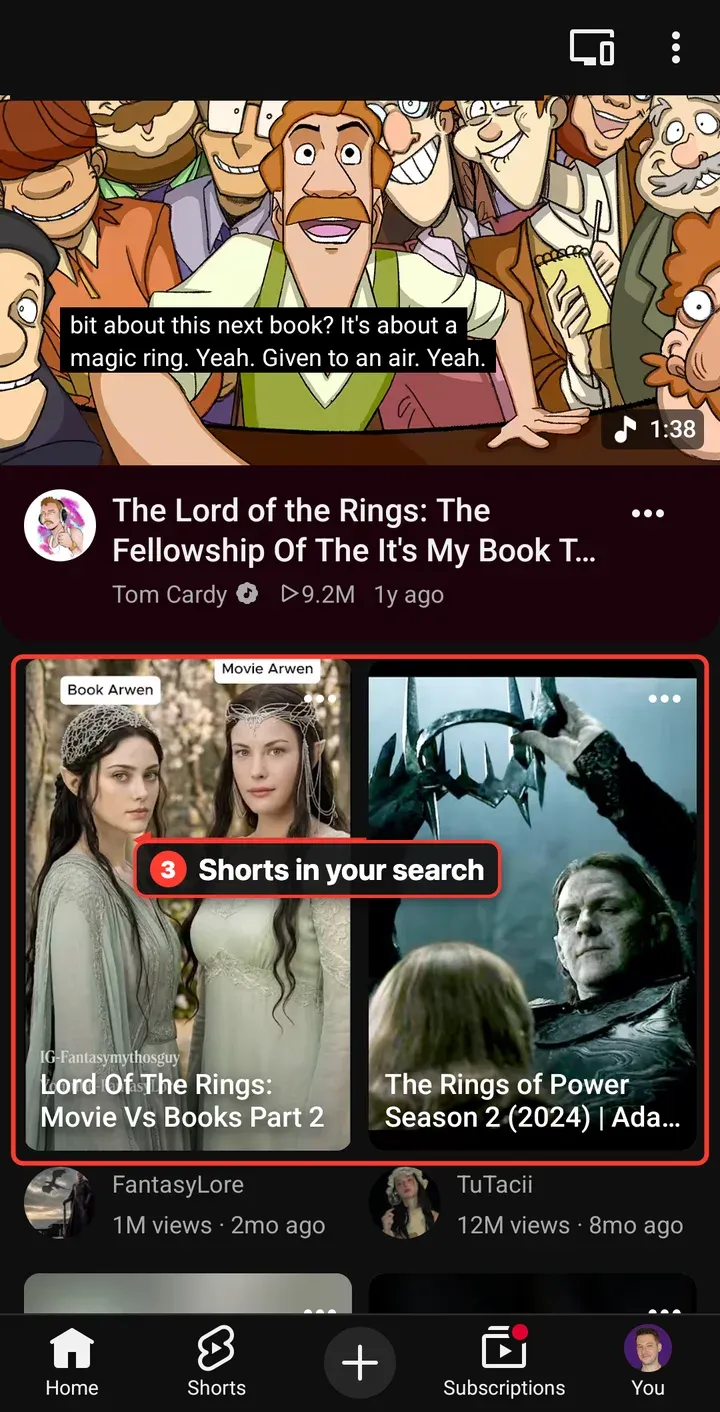
The first result starts playing by itself as you scroll, muted with captions so you stay. The Shorts shelf sits in the middle of the results.
PipePipe proves it doesn’t have to be this way
PipePipe is an open-source Android YouTube client. Same videos, same trailer, no account:
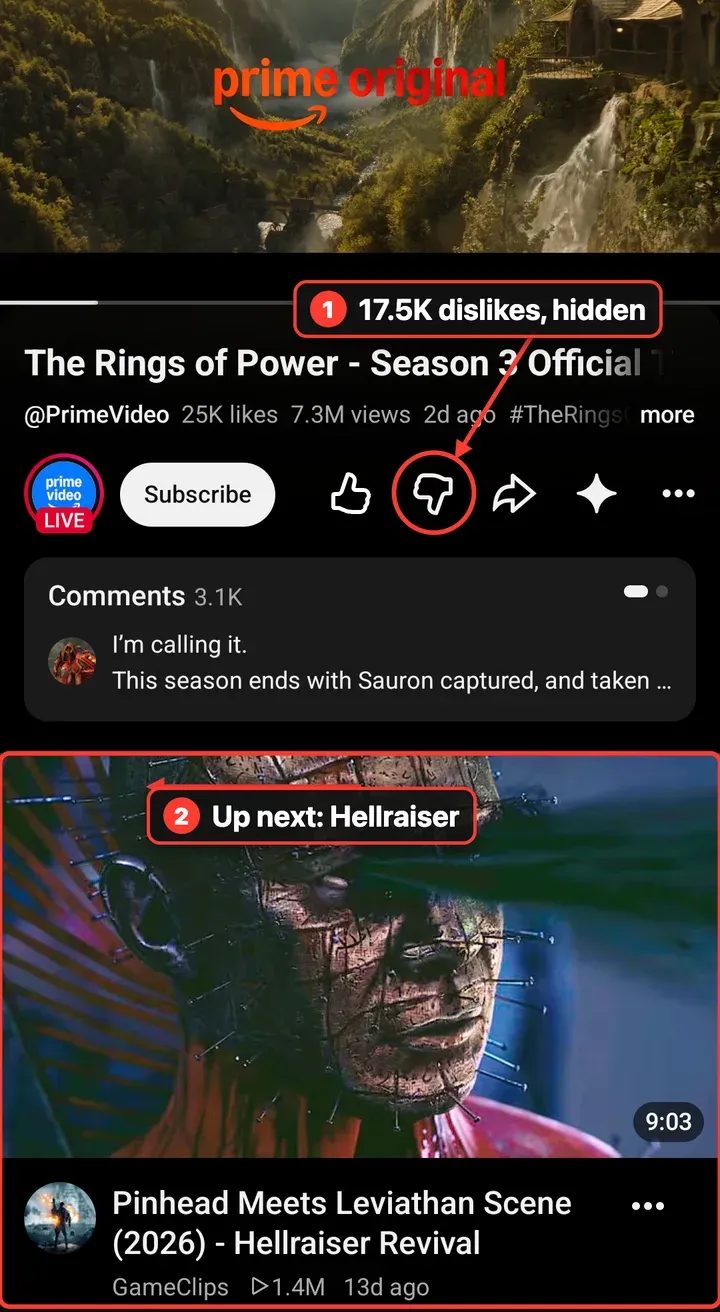
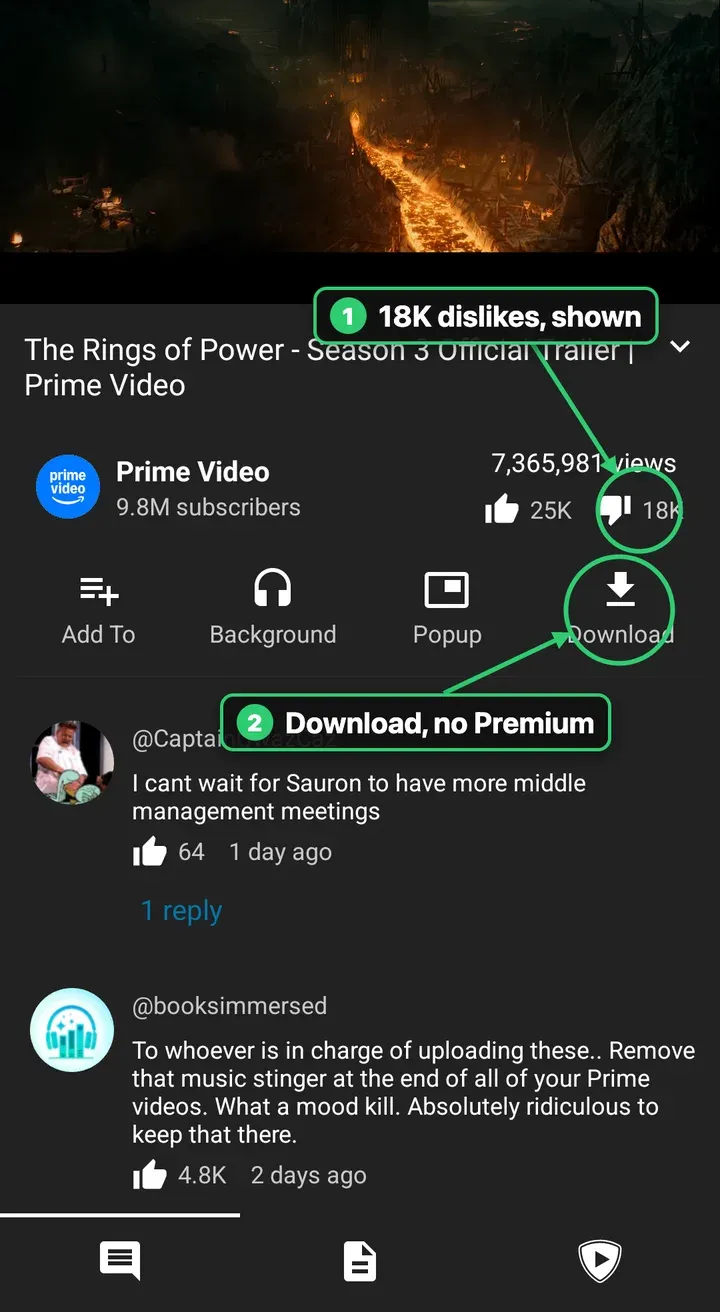
It shows the 18K dislikes, it downloads without Premium, and there’s no Hellraiser clip waiting under the trailer. No home feed, no Shorts shelf, no autoplay.
PipePipe still shows the uploader’s clickbait thumbnails and titles, and it can’t tell you a channel uploads 25 videos a week. It’s a better app, but it’s still one fixed set of screens.
My YouTube is whatever I ask for
An agent has no fixed screens. It builds the view I asked for, every time. This is my terminal, a real run:

The answer isn’t a wall of text. It’s a page, opened in a pane beside the chat:
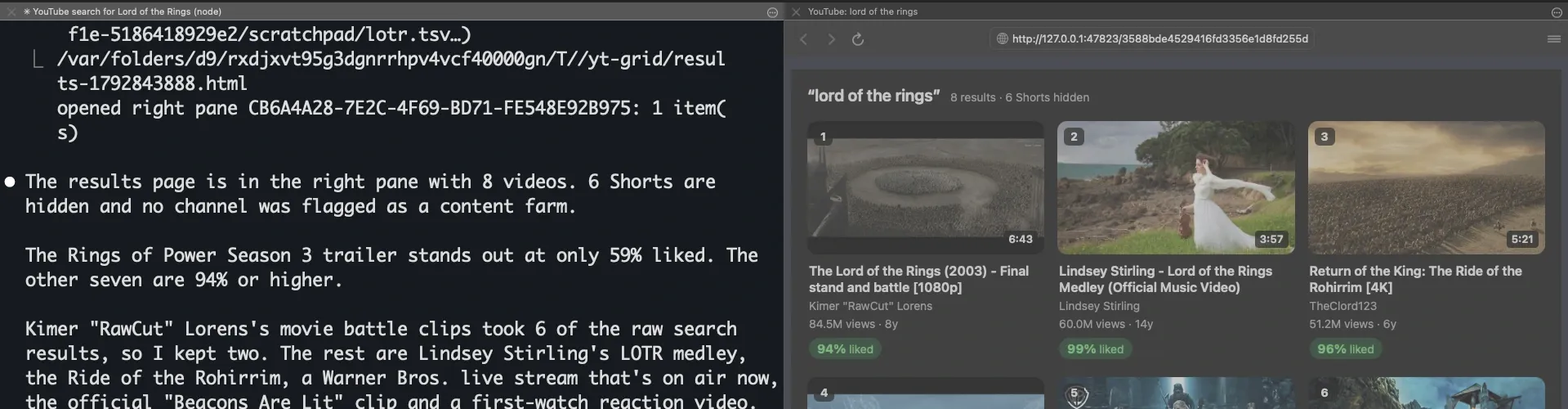
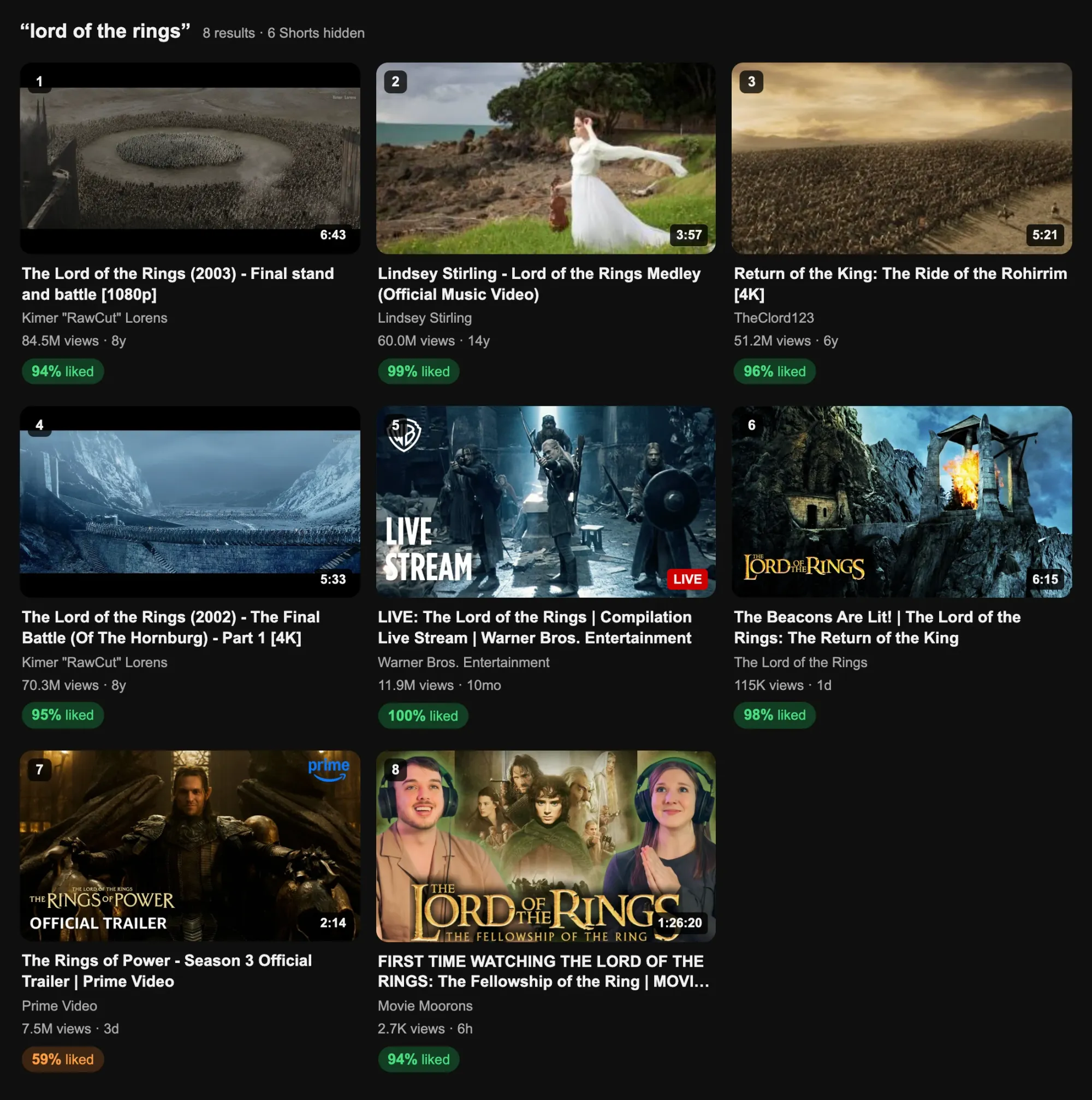
It’s YouTube’s results layout with everything except the videos taken out. The agent searched three ways (by relevance, newest and most viewed), dropped the Shorts, swapped in de-clickbaited thumbnails, and put the like ratio on every video. Prime Video’s trailer is the only orange one: 59% liked, the number YouTube won’t show you.

Saying a number plays that video beside the chat, as a downloaded file. No youtube.com, no ads, no autoplay into something else. Ask “what happens in this?” and Gemini watches it for me; I wrote that part up in Watching YouTube is for boomers.
How it works
It’s a Claude Code skill: a folder with a SKILL.md that tells the agent which scripts to run and how to show the results. The scripts:
- Search three ways and merge. Relevance, newest, most viewed. Reuploads of the same video get grouped and only the earliest upload, the original, is kept.
- Add the ratings. Likes and dislikes from Return YouTube Dislike: 💚 over 90% liked, 🟠 75 to 90, 🤮 50 to 75, 💀 under 50. The median video sits around 98%, so anything under 90 means something.
- Fix the titles. DeArrow is a crowdsourced database of honest titles and thumbnails. When there’s no community thumbnail, it picks a frame from the video that isn’t a sponsor segment.
- Flag content farms. A channel posting 25 videos a week, or a young channel with viral views and almost no subscribers, gets a 🏭. It’s a flag, never a filter. Only my own blocklist removes channels.
- Show it as a page. One small HTML file in YouTube’s layout, minus everything that isn’t a video, opened in a pane next to the chat (or your browser). yt-dlp plus a local player for playback.
Install it
Clone github.com/jrejaud/claude-youtube-skill into ~/.claude/skills/youtube-search. You need a free YouTube Data API key, and a Gemini key if you want it to watch videos. Ratings, honest titles and sponsor segments need no key. Or paste the prompt at the top into your agent and let it do the setup.
I’ve been building more of these: an agent that playtests my games, and my own AI agent on my smart glasses. Subscribe below for the next one.